Event Ticketing & Box Office Planner
Research-backed planner built from a 100-product census of ticketing and box-office software — dated inventory that cannot oversell, and a scan that admits in one action instead of sending staff between two apps.
The problem this kills
Ticketing looks like ecommerce until the doors open, and that is exactly why vibe-coded builds fail at the worst possible moment. Your agent ships an events page, a checkout, and a QR code in an email, and the demo is convincing: pick a night, pay, receive a ticket. Every click the founder tries works.
What has not been built is dated inventory. A ticket is not a product with a stock count — it is admission to one occurrence, and the same seat sold twice is a person turned away at the door in front of a queue. Capacity has to be decided in the same transaction that takes the money, or two simultaneous buyers both get a confirmation. Generic builds almost always read availability, then write the order, and the gap between those two statements is where the oversell lives.
The second failure arrives after the sale. Someone needs to move a ticket to another night, refund one seat of four, resend a lost email, or reissue a credential the buyer forwarded to a friend. Every one of those has to change the money, the inventory and the credential together — and the old barcode has to stop working. Builds that model orders as immutable receipts cannot do any of it, so the box office ends up editing the database by hand on show night.
Then there is the door itself. A real practitioner complaint from the research is scanning in one app, copying a number, opening another site, and pasting it — a workflow that produces an unacceptable queue at the entrance. Scanning has to validate and admit in one action, tell the difference between valid, duplicate, wrong-occurrence and void, and keep a manual lookup one tap away for the phone that will not brighten.
Why your agent cannot fake this
This planner is grounded in a 100-product census of software that manages admission inventory itself — reconciled into 29 macro capability families, 9 connected lifecycle units, 12 priority screen contracts and 18 micro-UI patterns, with 12 practitioner pain contexts drawn from operators describing what made them reject a product.
The cohort boundary is the part your agent cannot reconstruct, because it is defined by exclusion. A generic event page, a registration form, a payment link, an event calendar or a QR generator is not in this vertical — an app qualifies only when it manages the ticket or admission inventory. That single rule is what keeps the research from drifting into "events software" generally. The census spans general platforms (Eventbrite, Humanitix, Universe, Ticket Tailor, Quicket), box-office and venue systems (Eventim, Paciolan, Purplepass, TicketSpice), and self-hosted or open products (pretix, Hi.Events, Eventyay, Eventcube). Buyers range from independent theatres and performing-arts organizations to festivals, attractions, timed-entry operators and nonprofits.
The decisive finding is an inversion between what the market documents and what actually breaks on show night. Payment and tender appear in 96 of 100 products, operational reports in 91, scan and admission in 84, public checkout in 80. But the order-service workbench where box-office staff genuinely live — search, resend, edit, refund, exchange, reissue — is documented in only 33 of 100. Onsale windows and presale codes: 21. Offline scanning with sync and conflict recovery: 7. Those are not unimportant; they are underdocumented, and they are precisely the surfaces that decide whether a venue survives a sold-out night. A planner ranking features by market frequency would deprioritise every one. This one raises them on lifecycle risk instead, and the research says so explicitly rather than quietly reweighting.
The research is also honest about what it did not prove. Reserved seating is marked QUALIFIED — editor and box-office workflows are well evidenced, but no live buyer seat-conflict flow was exercised, so the planner keeps a strong screen contract without claiming double-selection proof. Offline scanning is a branch requiring explicit selection rather than a silent default. Settlement and payout are narrowed to where transaction-level evidence exists. Multi-organizer operation stays out of shared core.
What you actually get
A planner that treats an event as dated inventory with a lifecycle, not a catalog row. It walks your agent through the business, venue and depth decisions before any code, then holds the build to lifecycle gates:
- The buyer-recognizable centre is fixed. Events → tickets and inventory → box office → orders and patrons → entry → reports. Policy, audit, payment plumbing and integrations support that loop and are never allowed to replace it as primary navigation.
- Capacity is decided where the money is taken. Availability, holds and the sale resolve in one transaction, so two simultaneous buyers cannot both be confirmed into the last seat.
- Every credential can end. Refund, cancellation, postponement, exchange, transfer and reissue each have to move money, inventory and ticket validity together — and prove the superseded barcode is denied at the gate.
- The scan is one action. Validate and admit in the same step, with explicit valid / duplicate / wrong-occurrence / void verdicts and a manual recovery path that stays one tap away.
- Depth is bounded and never silently expanded. Basic is a genuine general-admission lifecycle; Moderate adds selected venue and box-office depth; Advanced adds only explicitly chosen resilience, distribution, integration, risk or access branches. No depth auto-selects every observed family.
The planner emits a hot CLAUDE.md or AGENTS.md plus split spec files, with a custody gate that stops the agent scaffolding before the spec is written and locked.
The frequency-ranked ledger.
Real apps this planner built.
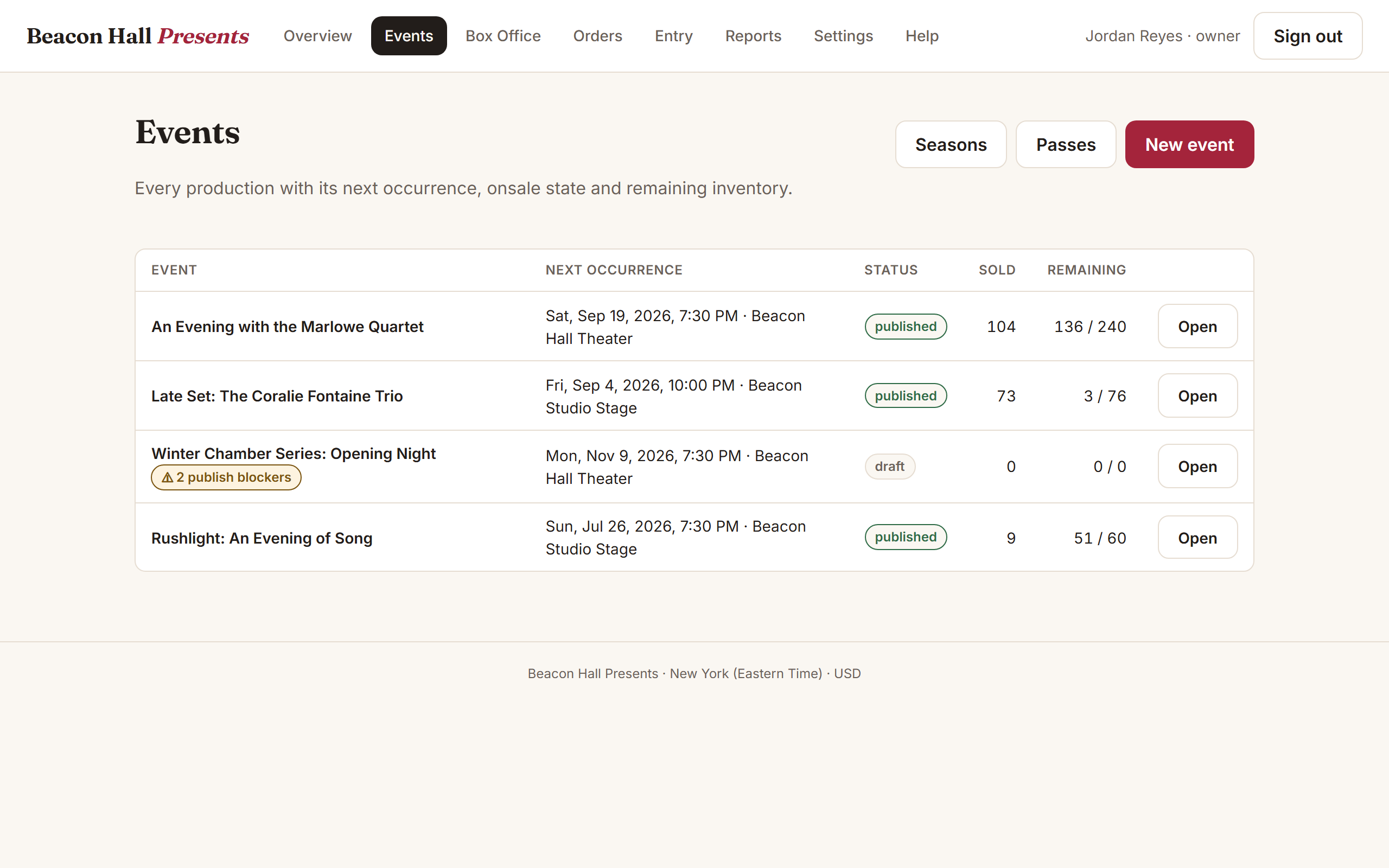 Live
LiveVenue box office, end to end
“Beacon Hall Presents” — a performing-arts venue from event creation through online and counter sales to the gate: capacity that cannot oversell, refunds that return inventory and void the credential in one transaction, and a scanner that admits on the first pass and flags the second as a duplicate. Sign in at /login with owner@beaconhall.example (or organizer@, boxoffice@, gate@, finance@) and the password beacon-demo-2026.
Open live demo →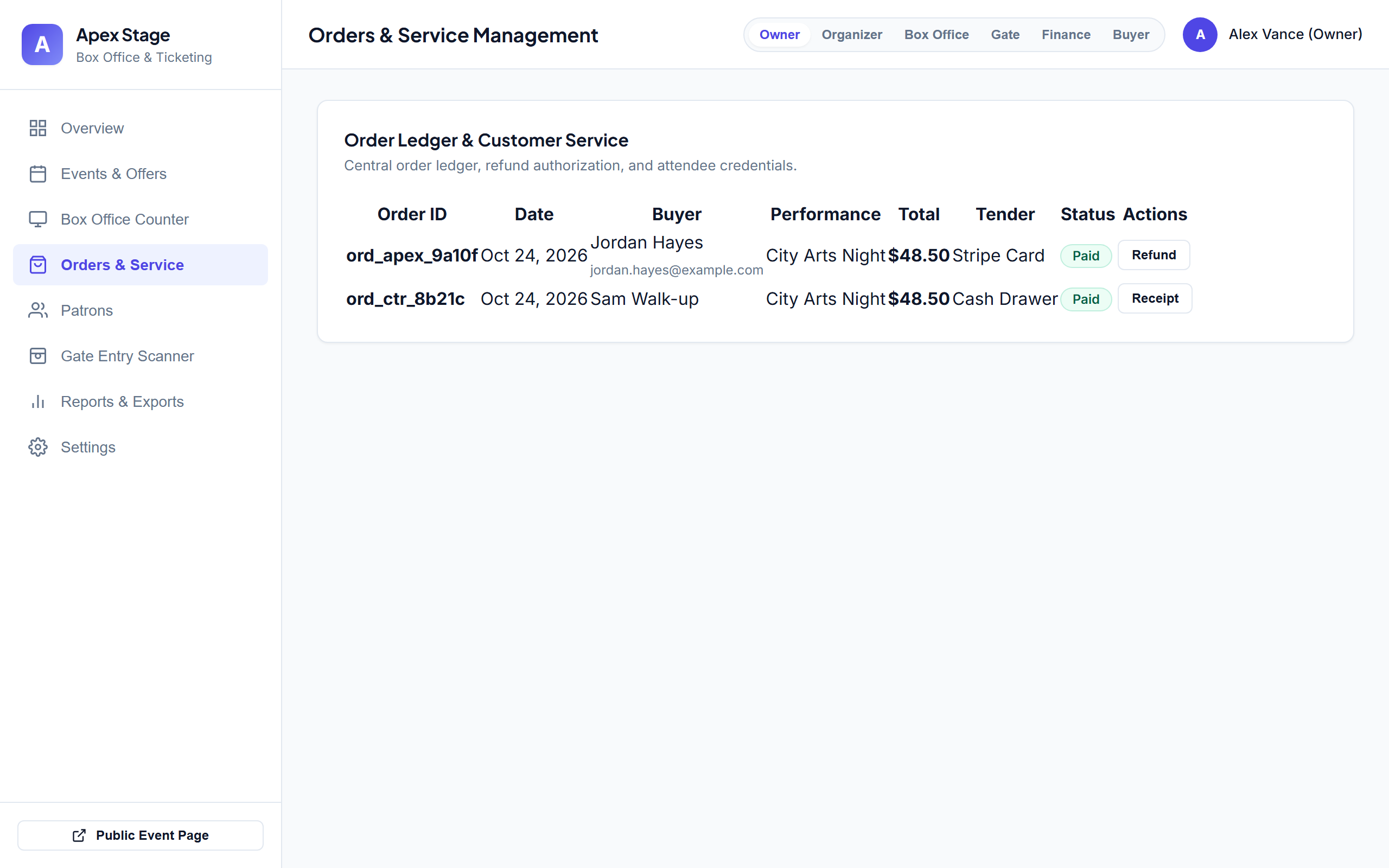 Live
LiveBox office, after repair
“Apex Stage Ticketing” — the same planner, and the build that arrived with two sign-in shortcuts and every customer's details readable by any account. Both are closed: the anonymous session grants are gone, orders are scoped so a buyer sees only their own, and the app now refuses to start on its old built-in signing key. The role buttons perform real sign-ins rather than the shortcut they used to. Scanner admits once and flags the duplicate.
Open live demo →