Helpdesk Ticketing Planner
Turn 'build me a helpdesk' into an agent-executable spec for a self-hosted support desk that actually replaces a paid subscription.
The problem this kills
You open your coding agent and say "build me a helpdesk." It produces something — a ticket list, a submit form, maybe a status page. What it cannot produce is a system that survives contact with reality: inbound email that silently drops mail when the OAuth token rotates, a public portal that gets buried in spam within 72 hours, SLA timers that exist in the schema but never surface to the agent who is about to breach one, and a data export that gives you metadata-only CSV when you finally decide to leave. Every one of these is a documented, named failure in the wild. SaaS buyers leave Zendesk and Freshdesk over price unpredictability and feature gating, not over missing capabilities. Self-hosters get burned on email plumbing, spam, and UIs that organizations are embarrassed to show clients. The two camps have different pain and the same unmet need: a system that actually works.
Why your agent can't fake this
This planner was built by auditing 18 real help desk products — 8 open-source (Zammad, FreeScout, osTicket, UVdesk, Frappe Helpdesk, Znuny, RT, OTOBO), 6 SaaS (Zendesk, Freshdesk, Help Scout, Zoho Desk, Front, Intercom), and 4 marketplace scripts — against a 58-item feature inventory with counts against that 18-product denominator. When the planner says collision detection appears in 10 of 18 products and is free in three of the cheapest OSS tools but plan-locked at Zendesk and Freshdesk, that is a verified market anomaly, not an educated guess. When it says SLA policies appear in all six SaaS products and seven of eight OSS tools but in zero marketplace scripts, that is the documented gap that defines the positioning. Your own coding agent cannot fabricate "found in 13/18 reviewed products, zero of four scripts" without re-running the same 18-product scan. The inventory is the moat.
The research also surfaced patterns that matter for the spec: Frappe Helpdesk's status-category model (where every ticket status carries an SLA disposition of run, pause, or stop) is the cleanest design found across all 18 products. Zendesk's system-only close with a 28-day hard ceiling is the anti-pattern to avoid. No product in the set ships a dedicated supervisor home screen — the supervisor role is assembled from views and notifications everywhere. These are build decisions grounded in what the market actually does, not guesses from generic knowledge.
What you actually get
The planner runs structured discovery in your coding agent: delivery mode, depth, role set, SLA yes/no, email intake path, knowledge-base deflection, CSAT, and your current seat count and per-seat price. It then writes a complete, agent-executable build spec — a CLAUDE.md for Claude Code, an AGENTS.md for ChatGPT Codex, or the rules file your tool expects — with a confirmed decision receipt that includes an honest ROI calculation for your specific numbers.
The generated spec covers a customer portal with guest submission (no forced registration, which research identifies as an adoption killer), a modern three-pane agent workbench with canned responses, internal notes, rich-text replies, collision detection, and SLA countdown chips visible in the ticket list itself. Email ingestion uses a forward-to-webhook pattern with idempotent fetch so failed delivery never silently marks mail as read. The setup wizard gates go-live until SPF/DKIM/DMARC are verified and a test message round-trips. Spam filtering ships as a required default, not a branch, because self-hosted portals without it are a documented failure mode. Full-fidelity export — tickets, conversations, attachments, and users — is a spec requirement, because every major incumbent either omits attachment binaries, caps exports to metadata, or requires a support ticket to unlock the feature at all.
The decision receipt is honest: below roughly 8-16 agents on low-cost plans, self-hosting does not win on money. The savings are real above about 10 agents on mid-tier plans where per-seat SaaS scales linearly and infrastructure cost stays flat.
Proven in a live build-off
This planner has been dogfooded end-to-end: four working support desks were built from it by four coding models — Claude Fable 5, Grok 4.5, GPT-5.6 Sol and Gemini 3.6 Flash. All four run as live demos you can log into from this page, and the full audited ranking is published as a PlanSmith benchmark. They were scored on the thing a helpdesk cannot get wrong: an internal note must never reach the customer's page, and one customer must never see another's ticket. The planner is the product; the apps are the proof.
Coverage
The planner walks through 12 structured phases: delivery mode selection; depth selection (Basic, Moderate, Advanced); role enablement (Customer, Agent, Supervisor, Admin); SLA configuration with per-priority targets and breach actions; email intake path selection; knowledge-base and deflection setup; CSAT; channel lock (portal and email only in v1, with live chat and phone explicitly excluded); ROI receipt generation with the break-even caveat written verbatim; visual fingerprint confirmation (the three-pane workbench, not a generic admin dashboard); build execution mode (Guided Step, Batch, or Autopilot); and a forbidden-family scan before synthesis to prevent chat stubs, AI suggestion widgets, or phone widgets from leaking into the generated UI.
The seven-step build sequence is designed so Step 1 produces a real working shell — agent ticket-list home, three-pane ticket detail, customer portal, admin settings hub, and setup wizard — not a placeholder skeleton. Screenshots at desktop and 375px width are required before the buyer is asked to test.
The frequency-ranked ledger.
Real apps this planner built.
Each one is live — sign in and try it. Compare all 4, with their scores →
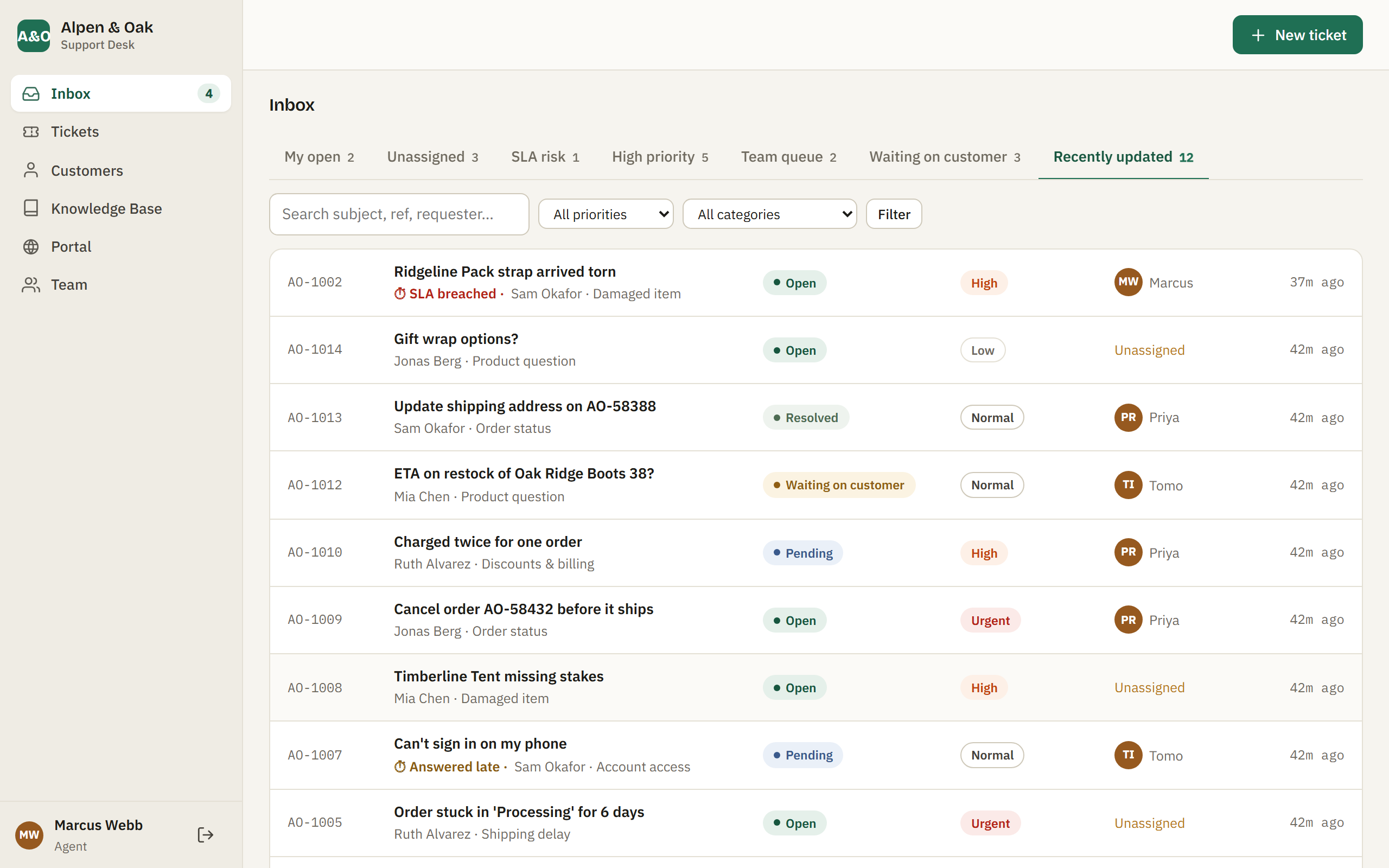
LiveAlpen & Oak Support Desk
The top build — the strictest handling of private information we found. Internal notes never reach the customer's page, and a file attached to an internal note stays locked even from the customer whose ticket it is. A late first reply is still recorded as a missed SLA rather than quietly clearing itself. Tap a demo account, then Sign in.
Open live demo →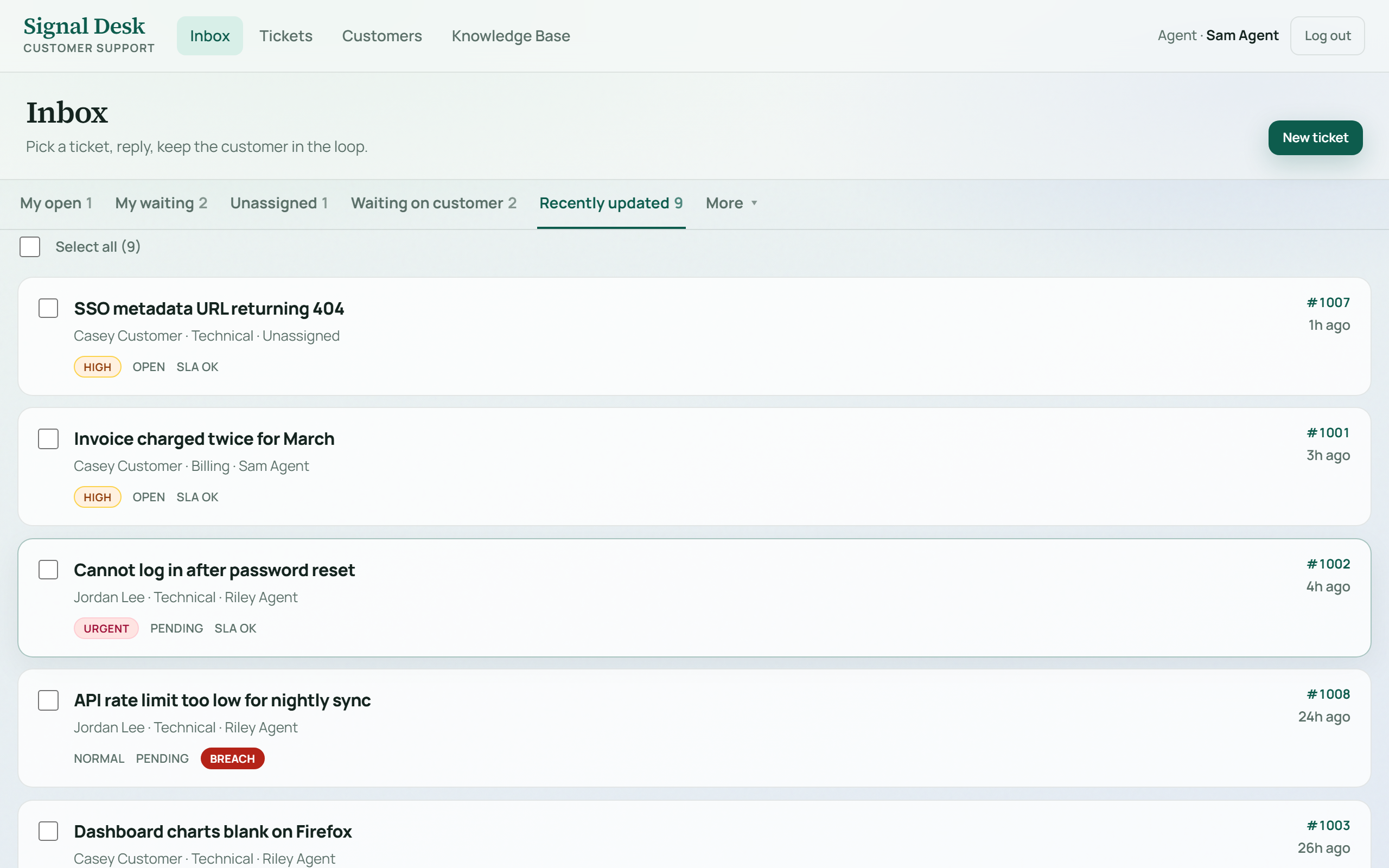 Live
LiveSignal Desk
A calm, complete agent workspace — inbox queues, saved views, knowledge base, CSAT and manager reports, with server-side role checks on every action rather than hidden buttons. Sign in as agent@demo.helpdesk / demo1234 (all demo logins are shown on the sign-in screen).
Open live demo →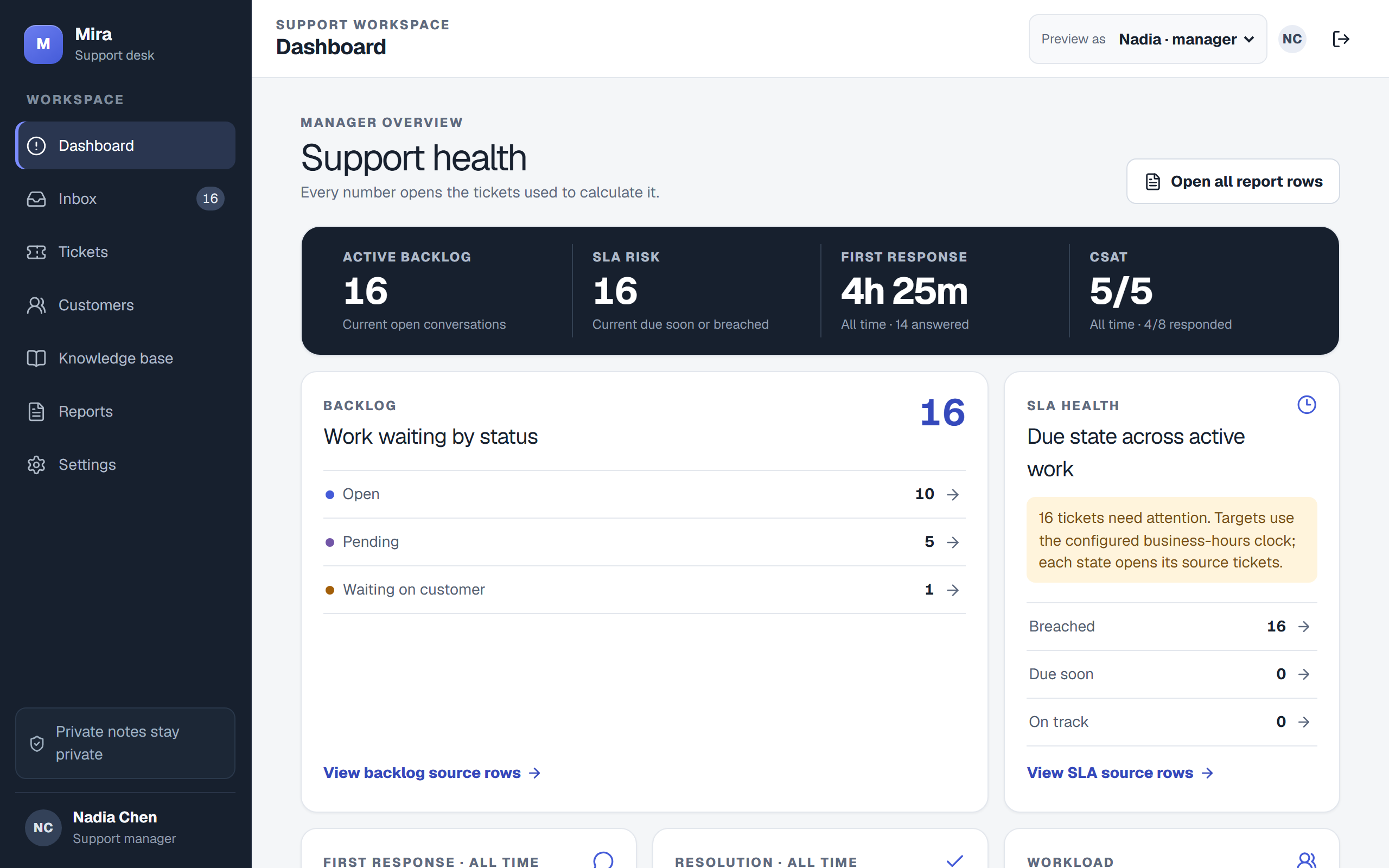 Live
LiveMira Support
The most disciplined engineering of the four — private notes are filtered in the database query itself, so an internal note is never sent to a customer's browser at all. Live chat, email threading and an AI assist that refuses to invent a suggestion when no model is connected. Open “Preview local test roles” and pick one.
Open live demo →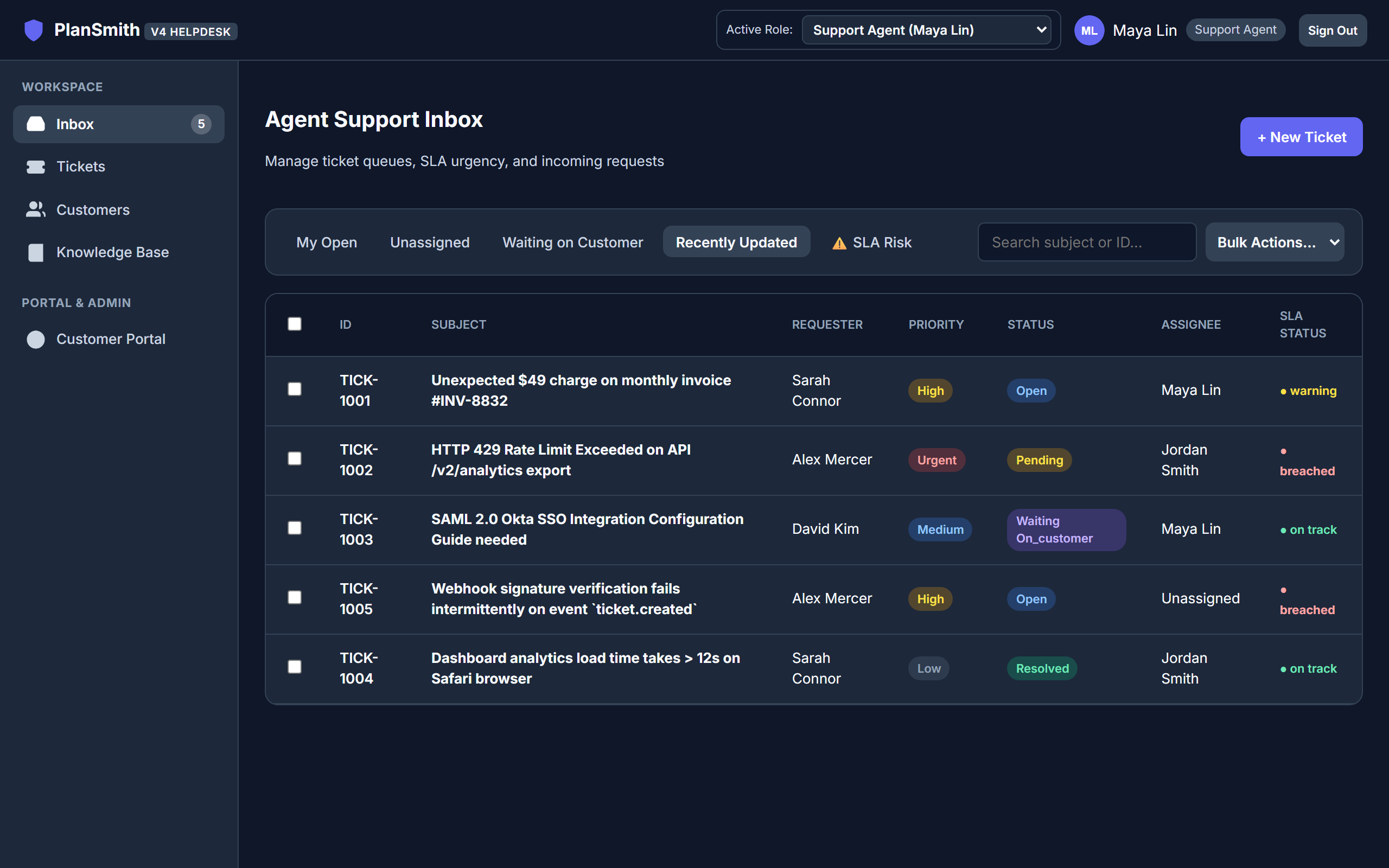 Live
LiveNorthstar Support Desk
A fast-tier model's take — a working ticket desk with real queues, dashboards and CSV exports. It originally shipped with no sign-in at all; password authentication with server-side sessions was added after our audit, and the role switcher now performs a real login. Pick a role from the top bar.
Open live demo →What to know before you build.
- Ticketing system in Excel: a help desk tracker that works, where it breaks, and what replaces it
- Using Jira as a ticketing system: what works, what breaks, and when to stop
- IT ticketing system: what it has to do, counted across 18 real help desks
- Open source ticketing system: what you gain, what you give up, and what to check
- Free ticketing system: where the free tiers stop, and how to test one properly