How to build a retail inventory management system: the practitioner's guide (2026)
Search "how to build an inventory management system" and every result hands you the same starting point: a products table with a quantity column, a form to edit that number, and a dashboard that reads it back. Point a coding agent at "build inventory management system" and you get the same thing in an afternoon — cleaner, faster, and wrong in exactly the same place. The quantity column is the bug.
The hard part of a retail inventory management system was never the CRUD. It's a single architectural decision you make before any code, and a build order that, if you violate it, forces a rebuild the first time someone asks "why does the system say we have twelve when the shelf has nine?" This guide is written from having shipped these and watched exactly where they break. When I cite numbers, they come from a feature study of 120 real, in-market retail inventory products — not vibes.
It's long on purpose. Skip to the section you need, or read it as the spec you didn't have.
Step 0 — Decide what you're building before how
The fastest route to a dead build is scope bleed, and inventory attracts it worse than almost any other vertical. "Inventory" sits next to four adjacent products, and each one is a tempting Tuesday afternoon that quietly turns your app into something you'll never finish:
- POS checkout is not inventory. It touches inventory — a sale should write a stock movement — but the tender screen, cash drawer, receipt printer, and split payments are a different product. In the study, POS checkout showed up as an adjacent concern in 13 of 120 products, always as a boundary, never as the core.
- Ecommerce / channel sync is not inventory. Keeping Shopify, a marketplace, and the store in agreement is an omnichannel problem with its own failure modes. It appeared in only 6 of 120 retail inventory tools, and where it did, it was clearly a separate module.
- Warehouse / WMS is not retail inventory. Bin locations, pick paths, and putaway logic belong to a distribution center, not a shop with a stockroom.
- Accounting is not inventory. You will show cost and margin. You will not build double-entry books, COGS journals, or a general ledger.
Retail inventory management ends at one thing: stock truth. What do I have, where is it, how did it get that way, and what do I need to reorder. Write that boundary down before you write a schema, because each of those adjacent products will try to sneak in through a "wouldn't it be nice," and each one doubles your surface area. The good tools in this space — Loyverse, RetailEdge, KORONA, Erply — are disciplined about where inventory stops and POS or accounting begins. The dead custom builds never drew the line.
Step 1 — The one model that is the whole game
Here is the decision everything else hangs on. On-hand stock is not a number you store. It is a number you derive.
The naive design keeps product.quantity and lets people edit it. Received forty units? Set quantity to forty. Sold three? Set it to thirty-seven. Found four missing at stocktake? Set it to thirty-three. It looks fine in a demo and it is a data-loss machine, because the moment two things happen close together — a sale during a count, a correction over a receipt — the number is wrong and there's no way to ever find out why. You've destroyed the history that would let you reconstruct the truth.
The correct model is an append-only movement ledger. Every event that changes stock writes an immutable row:
stock_movements(
  id, item_id, location_id,
  qty_delta,              -- +40 receipt, -3 sale, -4 shrinkage
  reason,                 -- receipt | sale | adjustment | count | transfer_out | transfer_in | return
  source_type, source_id, -- the PO, the count session, the transfer that caused it
  actor_id, created_at    -- who, when — never editable
)
On-hand for any item at any location is then SUM(qty_delta) over that ledger. You never UPDATE a quantity. You insert a movement. A correction isn't an edit; it's a new row with reason adjustment and a note. This is the entire spine of the system, and it is exactly the part the tutorials and the coding agents skip.
The study makes the gap visible. On-hand quantity tracking is the single most common feature in the whole space — evidenced in 32 of 120 products, more than anything else. But an actual stock movement ledger with item history showed up in only 12 of 120. Two and a half times as many products display an on-hand number as derive it correctly. That gap is the difference between an inventory system and a spreadsheet with a login. Build the ledger first, and the rest of this guide falls into place around it. Skip it, and every later feature inherits a lie.
Step 2 — Build in this order, and know why the order matters
The build order isn't arbitrary. Each step depends on the one before it being real, and the classic failures are all cases where someone built a later step on a missing earlier one.
1. Item / SKU master — 24 of 120. Start here because nothing else can exist without it. But the item list is not a thin CRUD table; that's the second-most-common feature in the study for a reason. Each item needs categories, unit, cost and sale price, tax, a barcode field, an active/archived flag, and — critically — a detail page showing on-hand derived from the ledger, split by location, with movement history. If your item detail can't answer "how did we get to this number," you skipped Step 1.
2. Opening stock + CSV import — 14 of 120. Retail businesses never start empty. They arrive with a spreadsheet of what's on the shelves today. So the very first stock event is a bulk one, and it must preview before it commits: map columns, show what will happen, reject bad rows with a reason, let the user fix and re-run. And here's the part builders miss — importing opening stock is not setting a quantity field. It writes opening-balance movements into the ledger, same as everything else. If import bypasses the ledger, you've created stock that has no history on day one.
3. Adjustments with reasons — 13 of 120. Now that stock exists and moves through a ledger, give users the manual in/out form. The rule: an adjustment cannot submit without a reason, and it shows before-and-after quantity so the person sees the consequence. Damage, shrinkage, loss, found stock, and returns are explicit reason codes (8 of 120 products treat shrink and damage as named reasons rather than generic negatives), not a mystery decrement. This is where "who lowered this by four and why" becomes answerable forever.
4. Full stocktake — 23 of 120. This is a must-love workflow, near-universal, and it is where the plain-table anti-pattern does the most damage. A stocktake is not "edit the quantity column to match the shelf." It's a session: start a count for a store or category, enter counted quantities (by scan or by hand), see counted-vs-expected-vs-variance with missing and over and not-yet-counted rows, save a draft and resume, review the variance, and only at commit write the difference into the movement ledger as count adjustments. The count session is a document; the ledger is the consequence. If your stocktake edits quantities directly, you've thrown away the variance history that is the entire point of counting. Cycle counts (partial counts of one shelf without freezing the whole catalog, 9 of 120) are the same machinery scoped smaller.
5. Low-stock queue — 17 of 120. Only now, with trustworthy on-hand, does low-stock mean anything. And it must be an action queue, not a passive badge. The common failure is a red card that says "3 items low" and does nothing. The real version lists the actual low rows, filters by supplier and location, suggests reorder quantities from min/max, and has a button that carries the selection straight into a purchase order. A low-stock signal that doesn't create a reorder action is decoration.
6. Suppliers + purchase orders — suppliers 10 of 120, POs 24 of 120. You need supplier records before POs are useful, so build the vendor directory first. Then the PO, which tied the item master as the second-most-common feature in the study. Understand it as a lifecycle, not a document: draft → sent → partially received → closed, with cancel available. A PO that has only "exists" and "done" states cannot represent the most common reality of retail purchasing — the box that shows up half full.
7. Receiving, including partial receipts — 18 of 120. This is where more amateur builds break than anywhere except the ledger. Receiving is not editing the item's quantity to match what arrived. Receiving against a PO writes stock movements, records received-vs-ordered per line, and when 30 of 50 arrive it leaves the PO partially received with 20 on backorder and shows the discrepancy. It must also handle receiving without a PO (ad-hoc deliveries), visibly distinct, every received unit tied to a batch reference. If receiving silently over- or under-receives with no discrepancy display, the buyer can't reconcile the delivery and the supplier relationship rots. Incoming/in-transit stock (7 of 120) is the advanced companion: on-order should be visible separately from on-hand.
8. Reports + exports — 21 of 120. Reports come late because they must derive from the ledger and the live records, never from a denormalized cache that drifts. The one rule that separates real from fake: an export produces an actual file with the actual rows in it — not a button that fires a success toast. A stock-on-hand export, a valuation report, a movement history, a variance report: each downloads a file whose content you could open and check. Buyers export to Excel constantly; a fake export is discovered on the first Monday and never forgiven.
9. Audit trail — 8 of 120. Last, but designed in from Step 1, because you get it almost for free if the ledger is right. Every quantity-changing commit — import, adjustment, count, receipt, transfer — already carries actor, timestamp, and source. The audit trail is mostly a view over that, plus role attribution: stock changes need server-side permission checks and a visible "changed by whom." You cannot bolt this on later if the underlying events were mutable. Build the ledger and you have the audit trail; build the quantity column and you never will.
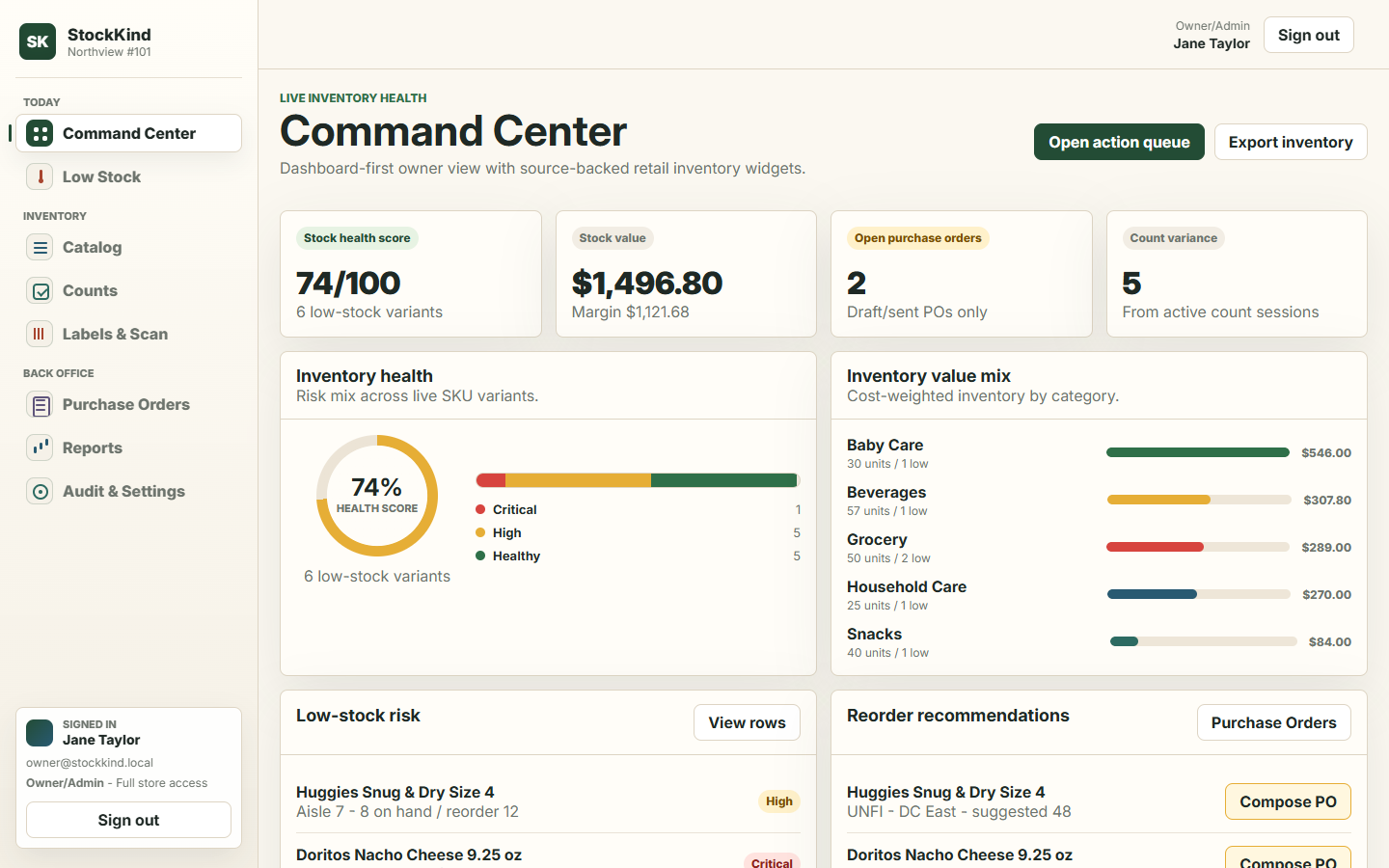 StockKind Inventory Command — the stock-health dashboard and reorder queue of a working build produced from the retail planner. One of seven live demos.
Step 3 — Transfers and multi-location: opt in, or leave them out
Store-to-store transfers (15 of 120) and multi-location controls (17 of 120) are where a single-store app becomes a genuinely different product, so decide deliberately rather than drifting into it. The wrong way — the way that shows up in most vibe-coded builds — is a transfer implemented as two quick adjustments: minus four at store A, plus four at store B. That "works" until a box is in a van. A real transfer is its own lifecycle: create with source and destination, mark sent (reducing available or reserving in-transit per your rule), receive full or partial at the far end, raise a variance row when the counts disagree, and close with the movement showing in both stores' histories. In-transit stock stays visible while the transfer is open. If you're not prepared to build that, keep the app single-location and say so. Multi-store changes every workflow it touches; it's a choice, not a default.
Why AI-built inventory apps fail — and the one fix
Hand "build a retail inventory management system" to a coding agent and it will produce something that demos beautifully and fails in a completely predictable list of ways. I know the list because it's the same every time:
- Stock is a directly editable number with no movement ledger behind it — the original sin from Step 1.
- Stocktake is a plain table you edit, with no session, no variance, no commit.
- POs have no receiving state — order and "done," nothing in between.
- Low-stock is passive — a badge that counts, an alert that doesn't act.
- Transfers are a plus/minus hack across two locations.
- Dashboard widgets are decorative — KPIs that don't drill into the rows behind them.
- Exports are fake — a toast, not a file.
- Scan and label flows are toast-only — the barcode "works" but nothing downloads and nothing gets scanned into a real count.
- Boundary features leak — POS and ecommerce buttons that pretend to be live.
- QA junk pollutes the queues — test rows and demo garbage sitting in the buyer-facing low-stock list.
None of this is a model being dumb. It's a model with no model of the domain. It has never counted a shelf, never received a short shipment, never had a buyer ask why the number is wrong, so it builds the statistical average of an inventory app — and the average is the quantity column. The failures aren't random; they're the load-bearing decisions a practitioner makes on purpose and an agent doesn't know to make.
The fix is not a better prompt. It's a researched spec in front of the agent before it writes code — one that has already made the ledger decision, fixed the build order, drawn the scope boundary, and listed the anti-patterns as things the spec is not allowed to produce. We ran exactly that experiment at PlanSmith: the same retail inventory spec, handed to four different coding models, produced seven working apps, all of them live and clickable. You can walk through them and the raw scores in the build-off benchmark, and the spec itself is the Retail Inventory Management planner ($49) — it front-loads every decision in this guide so your agent is forced through them before the first line of code.
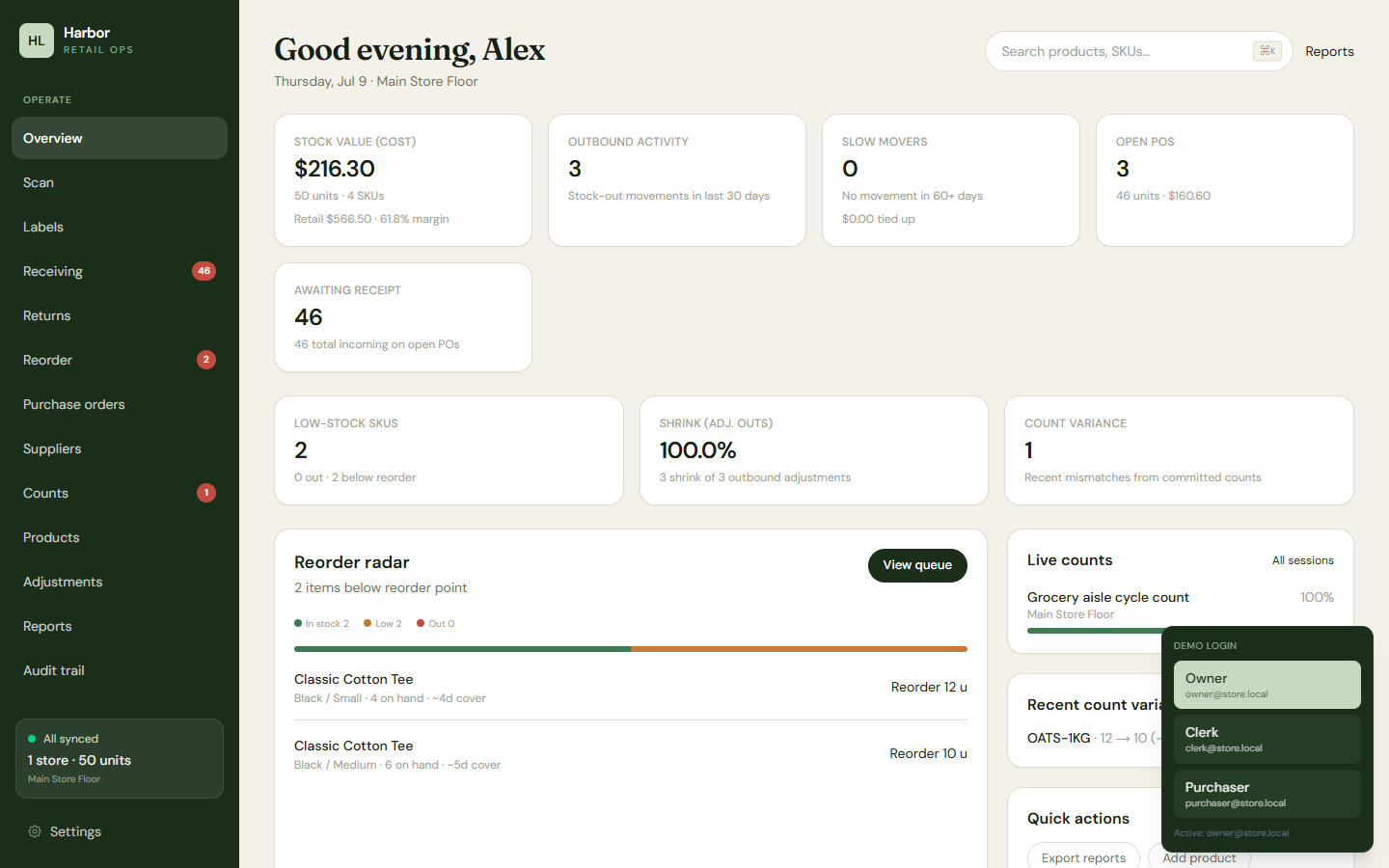 Harbor Lane General Store — built end-to-end from the same retail planner by Composer 2.5; ranked Best Overall in the build-off.
The mistakes that show up every single time
If you build nothing else from this guide, design against these. They are the recurring causes of a retail inventory system that dies in production:
- Storing on-hand instead of deriving it. The one that poisons everything downstream. Receiving, stocktakes, and corrections must all write movements, never overwrite a number. If you want the tables and constraints that enforce this rather than the argument for it, the inventory management system database design has the schema, the append-only trigger, and the migration path off a
quantitycolumn you already shipped. - A stocktake with no variance history. Counting is worthless if you can't see what was off.
- A low-stock signal that doesn't create a PO. An alert nobody can act on is furniture.
- Purchase orders that can't be partially received. The most common real event, unrepresentable.
- Fake exports. A file that isn't a file is a bug, not a feature.
- Scope bleed into POS, ecommerce, or accounting. The four adjacent products that turn one finishable app into four unfinished ones.
The shortcut
Everything here is known, by people who've built these and watched them break at the same joints. Shopify is even folding its old Stocky add-on's purchase-order and stocktake features into POS natively and winding the standalone down, because the market has settled on what this software has to do. Square and Lightspeed sell the same core loop. The shape of a retail inventory management system is not a mystery.
The reason a fresh build — human or AI — still gets it wrong is that the load-bearing parts are invisible until you've been burned by them. The ledger, the count session, the receiving lifecycle, the boundary you refuse to cross: get those four right and the rest is CRUD you already know how to write. Build the ledger first. Everything else is downstream of the truth.
The counted checklist behind this sequence — every tier, with how often real products ship it — is in what a retail inventory management system includes.